How Data Protection Icons Simplify Security Visuals Across Every Platform
If you have ever needed to communicate privacy, encryption, or secure access without relying on heavy text, you already know the challenge. Words can be misinterpreted, translated poorly, or simply ignored. That is where a well-designed set of symbols steps in. Data Protection Icons are not just decorative shapes. They are visual shorthand for trust, safety, and compliance.
We live in a world where people scan before they read. Whether someone is browsing a mobile app permission screen, flipping through an infographic, or skimming a banner ad, icons do the heavy lifting. The right icon set can turn a confusing security notice into something instantly understood. And when those icons are simple, clean, and fully customizable, they become tools rather than obstacles.
Let's walk through the real-world value of having a vector-based icon library focused on data protection. This is not about theory. It is about how you actually use these graphics in your daily work, across industries, and for audiences who demand clarity.
When website authentication needs visual cues
Think of the last time you visited a login page. Odds are, the padlock icon was present, but was it clear? A generic padlock tells a user very little about the actual level of protection. With a dedicated set of data protection icons, you can show specific states: encrypted connection, two-factor authentication, biometric verification, or session timeout warnings.
For a website that handles sensitive user data, this is not a luxury. It is a trust signal. When visitors see a consistent, clean icon indicating that their information is encrypted or their identity is verified, they are more likely to proceed. The stroke weight and color are editable in vector software like Adobe Illustrator or CorelDRAW, so you can match the icon style exactly to your brand without losing the meaning.
If you run a blog or a news site that collects email addresses, you might not need heavy security branding. But even a small "lock" icon next to a password field reassures users. And if that icon is scalable from a tiny mobile screen to a large desktop monitor without losing crispness, your design stays professional everywhere.
Mobile apps and permission screens that respect attention spans
Mobile apps are notorious for permission overload. Users tap "Allow" without reading because the text is dense and small. But what if the permission screen used clear, recognizable icons? A camera icon for camera access, a microphone for audio, a database cylinder for data storage, and a shield for protected sharing. That is instantly readable.
With Data Protection Icons, you can build permission screens that communicate visually. The SVG and PNG files included in the set work seamlessly on both iOS and Android prototypes. You can drag and drop them directly into your design tool. Because the stroke is editable, you can thin it out for modern minimalist interfaces or keep it bold for high-contrast accessibility.
Consider a health tracking app. Users need to know exactly what data is being collected, who can see it, and how it is protected. Icons for heart rate, location, and encrypted transfer can be placed next to each permission toggle. The result is a screen that feels transparent rather than intrusive. That builds long-term user trust.
Infographics that explain privacy policies without boring anyone
Privacy policies are rarely read, but they do not have to be walls of text. An infographic that breaks down data flows, consent layers, and retention periods becomes digestible when supported by the right icons. Instead of writing "Your data is encrypted at rest and in transit," you show a lock icon and a transfer arrow with a shield overlay.
This approach works across industries. An e-commerce brand can illustrate how payment information moves from checkout to bank processor. A SaaS company can show where user data lives and who has access. A nonprofit handling donor information can demonstrate their commitment to privacy with a simple visual journey.
The icons in this set come in EPS Version 10 and AI source files, making them compatible with almost any design software. If you need to scale them for a printed poster, the vector format ensures zero pixelation. The PNG transparency version is ready for digital use without background cleanup.
Social media visuals that communicate security posture
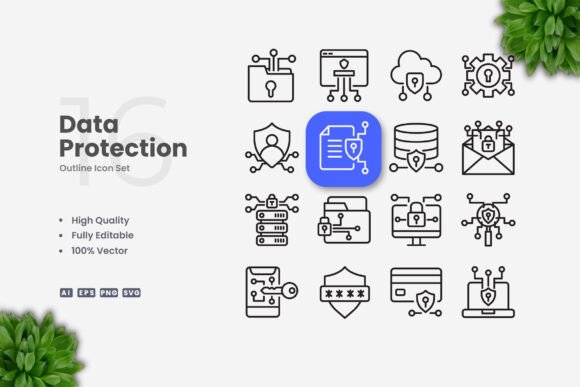
Social media is where trust is earned in seconds. A post about a new security feature, a product update related to privacy, or a tip about password safety can be amplified with strong iconography. A shield, a key, a fingerprint, a data server, a verified checkmark, and a network lock are all part of a solid data protection icon library.
Imagine a cybersecurity consultant posting a carousel about common phishing tactics. Each slide could feature a different icon representing a threat vector: email, SMS, fake login pages. The consistency of the icon style ties the entire post together visually. And because the set includes 100 vector icons, you have enough variety to keep your content fresh without repeating the same symbol.
Marketers responsible for brand social accounts will appreciate that the stroke weight and color can be adjusted. You are not stuck with the default look. If your brand uses a specific blue or a bold outline style, you can apply it across all icons in minutes. That keeps your feed cohesive.
Flyers, banners, and posters that demand clarity from a distance
Printed materials present a different challenge. A flyer taped to a coffee shop window about data privacy workshops needs to grab attention from three meters away. Words fade. Icons stand out. A large, clean padlock or a data protection badge becomes the focal point that draws someone in.
For event organizers promoting a privacy awareness session, posters can feature a central icon surrounded by bullet points. The stroke weight can be increased for print to ensure the icon holds up at large scale. The files include a Readme.txt with basic guidance, so even if you are not a designer, you know where to start.
Corporate training materials also benefit. A banner inside an office about secure data handling procedures can use icons to show do's and don'ts. A thumbs-up with a lock versus a thumb-down with an open folder. This kind of visual language works across language barriers, which is critical in global or multilingual workplaces.
Different users, different needs, same icon set
What makes a versatile icon set valuable is that it serves people in completely different roles.
- UX designers need icons that scale and adapt to interface constraints. They care about stroke consistency and alignment. With editable strokes and AI source files, they can fine-tune every detail.
- Content creators and bloggers want ready-to-use PNGs they can drop into a post without opening design software. The included transparent PNGs let them do exactly that.
- Print designers value high-resolution vector files that do not degrade at 300 DPI. EPS Version 10 is a safe bet for professional printing workflows.
- Small business owners who manage their own marketing might not have advanced design skills. The drag-and-drop nature of SVG files means they can insert icons into Canva or PowerPoint and still get good results.
- Developers embedding icons into web interfaces prefer SVG for its small file size and scalability. They can change colors with CSS or directly in the SVG code.
Each user approaches the same icon set from a different angle. The strength is that the files accommodate all of those approaches without requiring extra work from the creator.
Common considerations before choosing an icon set
Not all icon sets are created equal. Before committing to one, there are a few practical points worth considering.
Consistency of visual style. If the icons in the set look like they belong together, your final design will look intentional. The set of data protection icons here is built around a simple, clean aesthetic. No noisy gradients, no overly detailed illustrations. That makes them work well both as standalone elements and alongside other design components.
License and usage rights. Always confirm what you are allowed to do with the icons. This set comes with source files and multiple formats, which is a strong indicator that the creator intended for flexible use across personal, commercial, and client projects. The included Readme.txt typically outlines any restrictions, so it is worth a quick read.
Customizability. If you cannot change the color or stroke weight, you are limited. The ability to edit in vector software means you can adapt the icons to dark mode, light mode, branded color palettes, and varying sizes without asking for a custom version.
File format availability. Having AI, EPS, SVG, and PNG means you are covered regardless of your workflow. Some designers prefer native Illustrator files. Others work in Affinity Designer or Inkscape and rely on SVG or EPS. Having options removes friction.
Potential limitations worth knowing
No product is perfect for every scenario. Being aware of limitations helps you plan around them.
This set focuses specifically on data protection and security icons. If you need icons for unrelated categories like transportation, food, or entertainment, you would need a separate set. The specificity is a strength for focused projects but a limitation for general-purpose design.
The preview mockup is not included. That means you are buying the icon files themselves, not a staged presentation graphic. For designers who want to quickly show clients a realistic mockup, this requires a small extra step of placing the icons into your own layout.
Stroke weight is editable, but if you are not comfortable using vector editing software, you may need to watch a short tutorial first. The files themselves are straightforward, but the editing process assumes basic familiarity with layers and paths.
Where data protection icons make the biggest difference
If you work in finance, healthcare, legal tech, education, or any industry where data privacy is regulated, icons are not optional. They are part of compliance communication. Users need to see that their information is handled responsibly. Visual cues speed up that understanding.
Even if you run a personal blog or a small online store, adding a few security icons near your checkout process or signup form can reduce hesitation. People buy from sites they trust. Icons help build that trust in a glance.
For educators creating materials about digital safety, the icons serve as teaching aids. A presentation about password hygiene is more memorable when each tip is paired with an icon. Students retain visual information longer than text alone.
And for creatives who sell templates, themes, or design assets, including a versatile icon set as part of your offering adds value. Clients appreciate ready-to-use graphics that match the quality of their own work.
Final observations on working with icon files
The practical experience of using these icons comes down to how they fit into your existing process. If you start with the AI source file, you have full control over every anchor point. If you prefer SVG, you can embed them directly into a web prototype and tweak the CSS. If you need a quick social media post, the PNG transparency files are ready to go with no background cleanup.
The variety of formats is not just about convenience. It is about respecting the different ways people work. Some designers batch-edit in Illustrator. Others drop an SVG into Figma and adjust the color in one click. Both approaches work with this set.
When you resize these icons, they stay sharp. When you change the color, the strokes remain crisp. When you need a consistent look across a website, a mobile app, a printed banner, and a social media campaign, having a single source of truth for your iconography saves hours of rework.
Data protection is not a niche concern anymore. It is part of everyday digital life. Having the right visual language to talk about it makes every communication clearer, faster, and more trustworthy. That is the real value behind a well-designed icon set.