Data Center Icons for Clean Design
Icons have become a universal language in digital communication. They guide users, clarify ideas, and reduce text overload. Among the many icon sets available, Data Center Icons stand out for those who work with infrastructure, networking, and technology visuals. This particular collection offers a simple and clean icon design that works across many formats—from websites and mobile apps to print materials like flyers, banners, and posters.
What makes this set different is its focus on clarity and adaptability. Whether you are creating an infographic about cloud computing, designing a book chapter on server architecture, or building a social media post about IT services, these icons give you a consistent visual language without visual clutter.
What Data Center Icons Offer
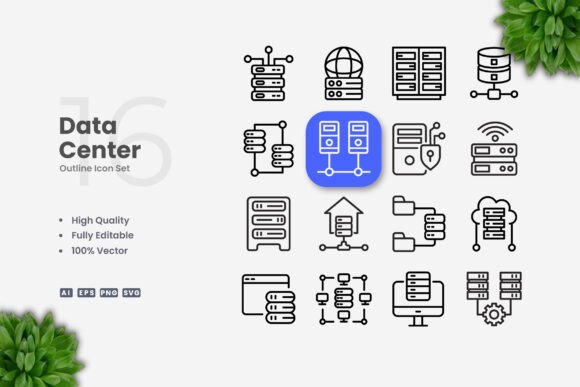
Data Center Icons is a vector-based icon set centered on data center and technology motifs. The designs are intentionally simple. Strokes are clean, shapes are minimal, and the overall aesthetic avoids unnecessary detail. This makes the icons readable at small sizes—important for mobile screens or compact print layouts—while still looking polished at larger scales for posters or presentations.
The set includes 100 vector icons. Each icon is fully customizable. You can resize them without losing quality, change colors to match your brand, or adjust stroke weight for different visual effects. Because the files are vector, you can edit them in programs like Adobe Illustrator or CorelDRAW. The package comes with source files in AI, EPS Version 10, SVG, and PNG formats, plus a Readme.txt for quick setup instructions.
A practical note: the preview mockups you may see in online listings are not included. What you receive are the icon files themselves, ready to be dropped into your projects.
Why Different Audiences Find Value Here
Not everyone approaches an icon set with the same needs. A beginner may prioritize ease of use and ready-to-go formats. A seasoned designer might care more about customization depth and file compatibility. A business owner could focus on commercial versatility and professional presentation. Let us look at how Data Center Icons serve each group differently.
Beginners and Hobbyists
If you are new to design or just starting with visual projects, simple icon sets reduce the learning curve. Data Center Icons come with PNG files that work immediately in most software—no special skills required. You can drag and drop them into a presentation, a social media graphic, or a simple website banner without opening a vector editor.
When you feel ready to explore further, the SVG and AI files let you practice resizing and recoloring. The Readme.txt file explains the basics. This makes the set a gentle entry point for learning vector editing without the pressure of designing from scratch.
For a hobbyist creating a personal blog about tech topics, these icons add a professional touch without demanding hours of custom illustration work.
Experienced Designers and Creators
For professionals who work with vector tools daily, the value comes from flexibility. You can open any icon in Adobe Illustrator or CorelDRAW and treat it as a building block. Change the stroke weight to match your project's visual language. Adjust the color palette to align with client branding. Combine icons with other graphics for unique compositions.
The 100-icon count may seem modest compared to massive icon libraries, but the focused subject matter means every icon is relevant to data center topics. No filler. No generic shapes that do not fit the theme. This saves time when you need a specific server rack, network switch, or cloud symbol.
Creators designing infographics or instructional diagrams benefit from the uniform style. Consistent stroke widths and clean lines make complex information easier to read.
Educators and Trainers
Teaching technical concepts often requires clear visuals. Data Center Icons help educators build diagrams for presentations, handouts, or online course materials. A simple server icon can replace a paragraph of text. A network diagram built with consistent icons helps students grasp relationships between components faster.
The editable SVG format is especially useful here. You can highlight specific parts of an icon by changing its color, or add labels directly in your slide software. For printed materials, the vector files ensure sharp results at any size—whether on a handout or a classroom poster.
Long-term usefulness matters for educators who reuse materials across semesters. Since the icons are not tied to a specific software subscription, they remain accessible as long as you have a vector editor or image viewer.
Marketers and Small Business Owners
For marketing professionals and entrepreneurs, consistency in visual branding is critical. Data Center Icons allow you to maintain a cohesive look across your website, social media graphics, email newsletters, and printed flyers. You can define a brand color once and apply it to all icons easily.
A startup in the IT services space might use these icons on their homepage to explain different offerings—cloud hosting, data backup, network security—without overwhelming visitors with text. The clean design supports a modern, trustworthy brand image.
Because the icons are royalty-free in the context of your commercial projects, you avoid licensing headaches. You own the final compositions you create, which matters when you are building intellectual property for your business.
Publishers and Print Designers
Print projects require high-resolution assets. Vector icons like these are resolution-independent. Whether you are designing a poster at 24 by 36 inches or a business card at 3.5 by 2 inches, the icons will render crisply. The EPS and AI formats are industry standards for print workflows.
For book publishers creating technical references or educational texts, consistent iconography across chapters improves readability and visual flow. You can reuse the same server icon in multiple contexts—just change its size or color to fit different layouts.
Practical Examples by Project Type
Here are a few ways different users might apply Data Center Icons in their work:
- Web designer: Use SVG icons inline on a tech company's landing page to highlight features like cloud storage, data migration, or security monitoring.
- Mobile app developer: Import PNG icons for quick prototyping of a network diagnostics app. Replace later with SVG for scalable assets on different screen sizes.
- Social media manager: Create a series of Instagram carousel posts explaining data center basics. Use consistent icons in each slide for a professional series.
- Freelance graphic designer: Offer clients custom icon variations by adjusting stroke weight and color in Adobe Illustrator, adding value without starting from scratch.
- Corporate trainer: Build a slide deck on network topology using the icons as visual anchors. Edit colors to match your company's presentation template.
Evaluating Quality and Reliability
When choosing an icon set, you want confidence that the files will work as expected. Data Center Icons deliver on several quality markers:
- Vector integrity: Since the icons are 100% vector, scaling does not introduce pixelation or artifacts.
- Customizability: Editable strokes and color fills give you control over the final look.
- Format variety: AI, EPS, SVG, and PNG cover most use cases—from web development to offset printing.
- File organization: A Readme.txt file provides basic guidance, which helps users who are not deeply familiar with vector workflows.
Reliability also comes from the simplicity of the designs. Without complex gradients or decorative effects, the icons work in minimal and flat design contexts alike. They are less likely to clash with different visual styles.
What This Set Is and Is Not
Data Center Icons are a focused tool for clear visual communication in technology-related projects. They are not a massive general-purpose icon library. If you need icons for unrelated topics—like food, travel, or fashion—this set will not serve that need. But for data center, networking, server, and cloud computing visuals, the collection is purpose-built and consistent.
The icons do not include mockups or pre-designed templates. You receive the source files and export formats. The design work of incorporating them into layouts is yours, but that also gives you creative control.
Matching the Set to Your Goals
Before purchasing or downloading, consider your primary use case:
- If you need ready-to-use PNGs for a quick project, the included transparency files work immediately.
- If you plan to edit extensively, the editable vectors save you from re-building shapes.
- If you are building a brand toolkit, the uniform style supports cohesive design across media.
- If you are learning vector design, the files serve as practice material for editing and exporting.
The set suits beginners because of the straightforward formats. It also satisfies professionals because of the customizability and industry-standard file types. The key is knowing what you want to create and choosing an icon set that aligns with that vision.
Long-Term Value
Vector assets age well. Unlike stock photography that may look dated after a few years, simple icon designs remain functional. You can update colors to stay on trend, but the core shapes stay relevant. This makes Data Center Icons a long-term investment for anyone who regularly produces tech-related content.
For small business owners and freelancers, avoiding recurring subscription costs for icon libraries is another advantage. A one-time set with editable files gives you permanent access, which matters when budgets are tight.
Ultimately, the value of any icon set depends on how well it fits your workflow. Data Center Icons offer a clean, focused, adaptable solution for a specific subject area. For those who need data center visuals with flexibility and professional quality, this set meets the mark without overcomplicating the process.