Choosing Cucumber Icons for Clean, Vector-Based Design: A Practical Overview
When you need simple, crisp icons that work across web, print, and mobile, the range of options can feel overwhelming. You might be comparing icon sets that promise scalability, customizability, and clean aesthetics. Cucumber Icons stands out as a vector icon collection built around these priorities, but understanding how it fits your specific project—and where it may fall short—can save you time and effort.
What Makes Cucumber Icons Distinct?
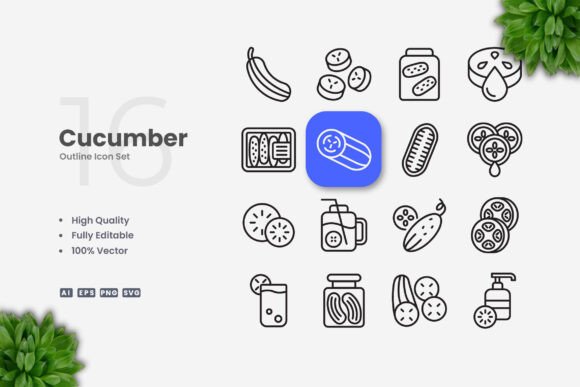
Cucumber Icons delivers a library of 100 vector icons designed with a straightforward, clean aesthetic. Each icon is provided in multiple formats—AI, EPS 10, SVG, and PNG with transparency—and includes a readme file for quick setup. The emphasis is on simplicity and ease of editing: stroke weight, color, and size can be modified directly in vector software such as Adobe Illustrator or CorelDRAW. This makes the set suitable for scenarios where you need a consistent visual language without heavy ornamentation.
Unlike many icon packs that offer pre-styled raster images or limited customization, Cucumber Icons retains full editability. The editable stroke feature means you can adjust line thickness to match your brand’s visual voice without redrawing the entire icon. For designers working on responsive layouts or multi-platform projects, this adaptability reduces rework.
Comparing Cucumber Icons with Alternative Icon Approaches
When evaluating icon resources, you typically encounter several categories: hand-drawn illustrations, outline sets, filled glyphs, and simple line icons. Cucumber Icons falls into the latter category, but with a focus on clean, uncluttered lines that remain legible at small sizes.
- Versus custom-drawn icons: Hiring a designer to create bespoke icons can cost hundreds of dollars and take days. A set like Cucumber Icons provides an affordable, ready-to-use foundation you can still customize. The tradeoff is that you trade absolute uniqueness for speed and cost savings.
- Versus free icon libraries: Many free icon sites offer thousands of options but often lack consistent style, proper licensing, or editable vector files. Cucumber Icons ensures each icon maintains a uniform aesthetic and includes source files you can legally modify. However, if your budget is zero, free options may suffice for non-commercial work.
- Versus icon fonts: Icon fonts (like Font Awesome) are convenient for web development but limited in color control and resolution for print. Cucumber Icons, being vector files, work natively in print layouts (flyers, posters, banners) and allow multi-color edits. The downside: embedding SVGs or importing AI files requires a bit more effort than loading a font library.
- Versus detailed illustrated icons: Projects needing expressive, narrative imagery may find Cucumber Icons too minimal. Its strength is clarity, not storytelling. For infographics or books, simple icons help convey concepts quickly, but a more illustrative style might better engage readers on complex topics.
Key Strengths and Tradeoffs
The main advantage of Cucumber Icons is its balance between polish and flexibility. The “High Quality Design” and “100 Vector” claims mean each icon was crafted with attention to proportion and consistency. For a designer assembling a dashboard, mobile app interface, or social media template, these icons provide a reliable baseline.
Strengths:
- Easy drag-and-drop integration: because files are in standard formats, you can import them into any vector software without conversion headaches.
- Editable stroke weight: you can thin or thicken lines to match your UI’s overall style, something not possible with raster icons.
- Scalability: SVG and EPS files ensure icons remain sharp at any resolution—critical for print materials like banners or posters.
- Unified look: all 100 icons share the same line weight and style, making them work together seamlessly in a set.
Tradeoffs and limitations:
- Limited number of icons: 100 icons covers common concepts (arrows, devices, people, objects) but may not include niche or industry-specific symbols. If your project requires a specialized icon (e.g., laboratory equipment or agricultural machinery), you may need to supplement with another set or create custom ones.
- Requires vector software: to change colors or stroke weight, you need Adobe Illustrator, CorelDRAW, or a compatible vector editor. If you work exclusively in raster-based tools (like Photoshop without vector capabilities), the customization benefits diminish.
- No pre-built mockups: the package includes only the icons themselves. While this is common, some users prefer sets that also provide scene mockups or pre-styled compositions. The preview mockup is explicitly not included, so you will need to arrange icons yourself.
- Style preference: the “simple and clean” design is intentionally minimal. If your brand leans toward playful, hand-drawn, or highly detailed visuals, these icons may feel too generic.
Best-Fit Situations for Cucumber Icons
Consider Cucumber Icons when you need a dependable, easily adaptable set for multi-use scenarios. For example:
- Website UI and mobile apps: consistent line icons for navigation, buttons, and feature lists. The SVG format works well with modern front-end frameworks.
- Infographics and books: clean icons that explain concepts without distracting from content. The editable stroke lets you harmonize icon weight with your typography.
- Social media visuals and flyers: icons that can be resized and recolored to match campaign aesthetics. PNG transparency files also allow quick placement in image editors.
- Print materials (posters, banners, presentations): vector files ensure high-resolution output, and EPS 10 format is widely supported in professional printing workflows.
The set is also practical for freelance designers who need a reliable “starter pack” for common projects. Since you can reuse and modify the icons across clients (within license terms), it reduces repetitive drawing work.
When You Might Need an Alternative
No single icon set fits all needs. You may look for other options if:
- Your project requires a larger variety of icons. For a comprehensive app or a detailed book, 100 icons may cover only a fraction of what you need. Consider combining Cucumber Icons with another complementary set, or choose a library with thousands of glyphs.
- You prioritize speed over customization. If you just want to copy-paste icons without opening vector software, an icon font or a ready-to-use PNG set with multiple color variations might be faster.
- You need highly detailed, unique icons for brand differentiation. For a company that wants all icons to reflect its own visual language, commissioning custom icons or using a more distinctive illustrated style could be worthwhile.
- You work with a team that lacks vector software proficiency. If collaborators are only comfortable with basic image editors, the editable stroke and color features become less accessible.
Decision Factors to Weigh
When deciding whether Cucumber Icons fits your workflow, consider these points:
- Budget vs. value: The set offers a curated selection with source files, which typically costs less than hiring a designer but more than free icon sets. Calculate the time saved versus the price.
- Technical compatibility: Check that your preferred design tools support AI, EPS 10, or SVG. Most do, but if you use a niche application, verify beforehand.
- Future reuse: If you produce many projects with a similar aesthetic, investing in a versatile set like Cucumber Icons can pay off over time.
- Desired level of uniqueness: Simple line icons are common; if standing out visually is critical, you may need to modify them heavily or mix with other elements.
Ultimately, Cucumber Icons occupies a specific niche: affordable, clean vector icons that you can tailor to your needs. For many web, print, and mobile projects, this balance of cost, quality, and flexibility makes it a solid choice. By understanding its strengths and limitations, you can decide whether it aligns with your project’s goals—or where you might supplement with other resources.