Minimal UI Icon Silhouette Set for Every Design Need
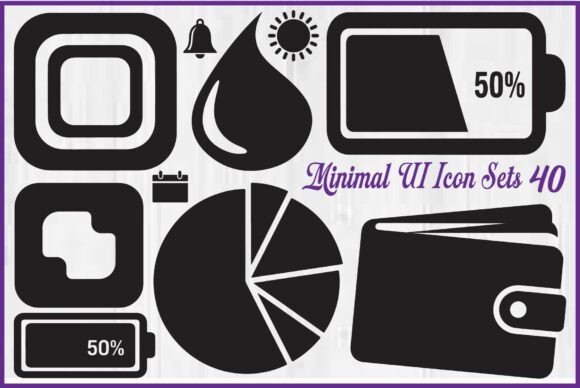
Whether you are designing a mobile app, building a dashboard, or creating marketing materials, the icons you choose can make or break the user experience. The Minimal UI Icon Silhouette Set offers 40 clean, bold, and modern black vector icons that cover essential user interface elements such as battery status, charts, wallet, calendar, notifications, settings, brightness, power, storage, and system controls. This collection is designed to be versatile, high-quality, and easy to use across a wide range of projects.
In this article, we will explore what makes this icon set valuable for different types of users—from beginners to experienced professionals—and help you decide whether it matches your specific goals, skill level, and project requirements.
What Is the Minimal UI Icon Silhouette Set?
This bundle includes 40 silhouette-style icons created in a clean black vector format. The designs focus on simplicity and clarity, making them ideal for modern interfaces where minimalism is key. Each icon is carefully crafted with smooth edges and consistent styling, ensuring they look professional whether used at small sizes on a mobile screen or scaled up for a presentation.
The set comes in four practical file formats: editable EPS vector file, SVG cut file (compatible with Cricut and Silhouette machines), high-resolution PNG with transparent background, and JPG with a clean white background. This variety means you can use the icons in virtually any design software, from Adobe Illustrator and Photoshop to web-based tools like Canva or Figma.
Why Different Audiences Care About This Icon Set
The value of a UI icon set depends heavily on who you are and what you are trying to accomplish. Below, we look at how various users might approach and benefit from this collection.
UI/UX Designers: Quality and Flexibility Come First
For a professional UI/UX designer, the primary concern is whether the icons will blend seamlessly into a digital product. The Minimal UI Icon Silhouette Set appeals because the silhouettes are consistent in weight and style, which is crucial for maintaining visual harmony across screens. The EPS vector file allows you to edit stroke thickness, resize without losing quality, or change colors to match your brand palette. Designers working on dashboards will appreciate icons like battery status, storage, and system controls—common elements that need to be instantly recognizable. The SVG files also make it easy to import directly into prototyping tools like Sketch or Figma, saving time during the design handoff.
One practical example: a UX designer creating a settings screen for a health app can use the notification and power icons to indicate toggles, while the calendar icon helps organize appointment schedules. Because the set is unified, the designer does not need to hunt for matching icons from different sources, reducing inconsistency.
Front-End Developers: Speed and Compatibility Matter
Developers often need icons that are ready to drop into code without extra work. The SVG format is ideal because it scales perfectly on different screen sizes and can be styled with CSS. The Minimal UI Icon Silhouette Set provides SVG files that are clean and properly structured, so you can embed them directly in HTML or use them as inline SVGs. The PNG versions with transparent backgrounds are useful for quick implementation when you need a static image. Developers building a web dashboard for analytics might use the chart and wallet icons to visually categorize data sections, and the storage icon to show usage indicators. The set's simplicity means less UI clutter, which improves load times and user focus.
Content Creators and Marketers: Presentation and Aesthetic Appeal
Bloggers, marketers, and social media managers often use icons to make content more engaging. Infographics, presentation slides, and promotional materials benefit from clean icons that communicate ideas quickly. The Minimal UI Icon Silhouette Set is well-suited for these contexts because the black silhouettes are high-contrast and easy to read. You can use the calendar icon for upcoming event posts, the settings icon for a "how-to" guide, or the brightness icon for tips on display settings. The JPG files with white backgrounds are convenient for placing directly onto a white slide without needing to remove a background. Marketers creating a comparison infographic for mobile plans might use battery status and wallet icons to illustrate features visually, making the data more accessible.
Small Business Owners and Entrepreneurs: Commercial Value and Long-Term Use
For a small business owner, cost and versatility are top priorities. The Minimal UI Icon Silhouette Set offers good commercial value because it covers many common UI elements in one purchase, saving you from buying multiple icon packs. The editable EPS vector file means you can adapt the icons for your own branding—for example, recoloring them to match your website or app theme. Entrepreneurs launching a SaaS product can use the notification, power, and system control icons in onboarding screens or user settings. The long-term usefulness is enhanced by the fact that vector files do not degrade over time; you can reuse them across different projects, from your landing page to a mobile app update, without needing to repurchase.
Print-on-Demand Sellers and Crafters: Scalable Designs for Physical Products
If you create products like stickers, T-shirts, or mugs, the SVG cut files are essential. The Minimal UI Icon Silhouette Set is compatible with Cricut and Silhouette machines, allowing you to cut clean shapes out of vinyl or other materials. The black vector design works well for single-color prints. You could create a set of tech-themed stickers featuring the battery, power, and storage icons, or design a minimalist tote bag with a wallet icon. The high-resolution PNG files are useful for printing on demand through platforms like Printful or Redbubble, where a transparent background makes it easy to overlay icons onto product mockups.
Key Priorities: Ease of Use, Quality, and Flexibility
When evaluating the Minimal UI Icon Silhouette Set, different user groups might prioritize different aspects:
- Ease of use: Beginners and hobbyists will appreciate that the PNG and JPG files are ready to use immediately in most software. The SVG format is also beginner-friendly for those learning to work with vectors.
- Quality: Professionals demand smooth edges and consistent proportions. The icons are designed with attention to detail, so they look sharp at any size.
- Flexibility: The inclusion of EPS vector files allows advanced users to edit shapes, combine icons, or create variations. This is especially valuable for designers who need custom icons without starting from scratch.
- Cost: For the number of icons and formats provided, the set offers good value compared to purchasing individual icons or subscribing to a more expensive library.
- Speed: Marketers and developers can quickly drop icons into projects without worrying about licensing or attribution, which streamlines workflow.
- Reliability: Icons are provided in a single, consistent style, so you do not waste time searching for matching sets later.
Practical Examples for Different Users
To help you visualize how the Minimal UI Icon Silhouette Set might fit into your own work, here are a few scenarios:
- A freelance web designer building a portfolio site for a client can use the settings and notification icons in a "services" section to represent configuration and alerts. The scalable vectors ensure the icons look crisp on both desktop and mobile.
- An educator creating a course on UI design can use the icons as examples of minimalist silhouette style, then ask students to recreate similar icons as an exercise. The clean lines make it easy to analyze shape and proportion.
- A blogger writing about digital minimalism might use the battery and power icons in an infographic about reducing screen time. The white background JPGs are easy to insert into a blog post without editing.
- A small business owner developing a simple app for inventory tracking can use the storage and chart icons to label key features. The SVG files can be recolored to match the app’s accent color, giving a custom feel without extra design work.
Is This Set Right for You?
Before purchasing any icon set, consider your own needs. The Minimal UI Icon Silhouette Set is ideal if you:
- Need a cohesive set of basic UI icons that cover common system and app elements.
- Prefer a minimalist black silhouette style that works for both digital and print projects.
- Want multiple file formats (EPS, SVG, PNG, JPG) to give you flexibility across different tools.
- Are looking for an affordable bundle that can be used for commercial products.
However, if you require icons with detailed illustrations, multiple color variations, or a specific theme outside of generic system controls, you might need a more specialized set. Also, beginners who are unfamiliar with vector editing will still find the PNG and JPG files easy to use, but they may need to learn how to open EPS or SVG files to take full advantage of the flexibility. The good news is that free tools like Inkscape or online converters can handle these formats if you do not have professional software.
In summary, the Minimal UI Icon Silhouette Set delivers on its promise of clean, modern, and flexible icons. Whether you are a UI/UX designer, developer, marketer, small business owner, or hobbyist, these 40 icons can help you communicate interface concepts effectively while maintaining a polished look. By understanding how the set aligns with your specific priorities—be it quality, cost, speed, or creativity—you can decide if it is the right addition to your design toolkit.