Summer Vacation Silhouette Vector Pack: A Practical Guide to Choosing and Using Vector Graphics for Your Projects
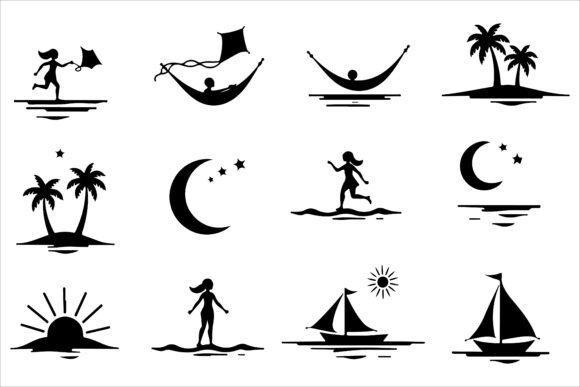
If you have ever designed a beach-themed flyer, a travel blog header, or a summer event poster, you know how much the right visual can set the tone. A Summer Vacation Silhouette Vector Pack offers a ready-made collection of clean, scalable icons that capture the essence of the season—palm trees, waves, sunsets, flip-flops, and surfboards. But choosing and using such a pack effectively requires more than just clicking “download.” Many people end up with generic designs, poor file formats, or licensing headaches simply because they overlook a few key details. This guide walks you through common pitfalls and shows you how to get the most from your silhouette vector pack, whether you are a small business owner, a freelance designer, or a hobbyist creating summer-themed crafts.
Understanding What You Are Actually Getting
One of the first mistakes people make is not fully understanding the contents of a silhouette vector pack. A typical bundle includes EPS, JPG, and PNG files, but each format serves a different purpose. EPS files are vector-based, meaning they can be scaled infinitely without losing quality—ideal for large banners or printed signage. PNG files offer transparency, perfect for layering over colored backgrounds in web graphics. JPGs are compressed and best used for quick previews or online galleries where file size matters. Mixing these up can lead to pixelated prints or frustrating editing sessions.
Another overlooked detail is the style consistency within the pack. Some collections mix detailed silhouettes with overly simplified ones, which can clash in a single composition. Before purchasing, examine the preview images carefully. Look for uniformity in line thickness, level of detail, and overall artistic style. This ensures that all elements you pull from the pack feel like they belong together, saving you time on adjustments.
1. Ignoring Scale and Proportion
Silhouettes are often designed at a standard size, but when you drop them into a layout without re-scaling, proportions can look off. For example, a seagull might end up as large as a palm tree, creating visual confusion. Always consider the real-world scale of each object relative to others in your scene. A simple rule: keep distant objects smaller (seagulls, sailboats) and foreground elements larger (umbrellas, beach chairs). Use your vector software’s alignment and distribution tools to maintain a natural hierarchy.
2. Forgetting About Background and Contrast
Because silhouettes are solid shapes, they rely heavily on contrast against the background. A common error is placing a dark silhouette on a dark sunset gradient—the shape disappears. To avoid this, choose a background with enough luminance difference. For instance, use a bright yellow-orange sunset and black silhouettes for a classic look. Alternatively, invert the scheme: white silhouettes on a deep blue ocean sky can create a stunning night beach scene. Test your composition in grayscale first to ensure the silhouette stands out.
3. Overlooking Versatility for Different Media
The file information often lists multiple use cases: graphic design, merchandise, web design, stationery, event decor, marketing materials, educational content, DIY projects, signage, and packaging. Many people only use a pack for one purpose, say a poster, and never revisit it for other projects. A good silhouette vector pack can be repurposed across all these areas. For example, the same palm tree silhouette can appear on a T-shirt, a website icon, a scrapbook page, and a paper cup. Store your files in organized folders by theme (e.g., “beach elements,” “people,” “activities”) so you can quickly pull what you need later.
4. Neglecting Customization
Out-of-the-box silhouettes are perfectly usable, but they often look generic if left untouched. A mistake is using them exactly as downloaded without any personalization. Consider adjusting the scale, rotating elements, or combining multiple silhouettes to create unique compositions. For instance, you can overlay a sun silhouette with a palm tree to create a logo mark. Or use a swimmer silhouette and add a few bubbles by hand. Most vector packs allow for easy color changes, but remember that silhouettes are monochrome—so play with texturing or gradients within the shape layer to add depth without losing the silhouette effect. Just be careful not to overcomplicate; the beauty of a silhouette is its simplicity.
Practical Advice Before You Buy or Download
Before committing to a Summer Vacation Silhouette Vector Pack, check these three things:
- License terms: Is it allowed for commercial use? Some packs restrict reselling or require attribution. Read the license carefully, especially if you plan to use the vectors on merchandise or in client projects.
- File format compatibility: Do you have software that can open EPS files? Programs like Adobe Illustrator, CorelDRAW, or free alternatives like Inkscape handle vectors well. If you only use raster-based software (like Photoshop), prioritize PNG files with high resolution (300 DPI) for print work.
- Number and variety of elements: A pack with 50+ unique silhouettes covering people, objects, activities, and natural elements gives you more flexibility than a small set with duplicates. Look for keywords like “waves,” “shells,” “surfboard,” “coconut,” “ice cream,” and “sailboat” to ensure the theme matches your needs.
How to Avoid Wasting Time and Money
One of the biggest frustrations is downloading a vector pack only to find that the silhouettes don’t work well with your existing design system. For example, if your brand uses thin, modern lines, a pack with heavy, chunky silhouettes will feel out of place. Always request a sample or look for a full preview that shows each element individually. Many creators provide a PDF contact sheet—use it to test a few images in your layout before purchasing.
Another cost-saving tip: start with the pack you already have. Many silhouette bundles include far more than you initially notice. Check all subfolders; sometimes extras like textures, patterns, or bonus icons are hidden inside. Revisiting your current library can save you from buying a second pack that overlaps with what you already own.
Real-World Examples of Better Approaches
Imagine you are designing a flyer for a beach party. A novice might grab a single silhouette of a DJ booth and a palm tree, place them on a gradient background, and call it done. The result is flat and uninspired. A better approach: layer multiple silhouettes at different sizes to create depth. Use a large umbrella and beach chair in the foreground, a group of dancing people midground, and small sailboats and seagulls near the horizon. Add a sun silhouette partially hidden behind a cloud. This layered composition tells a story and draws the viewer’s eye.
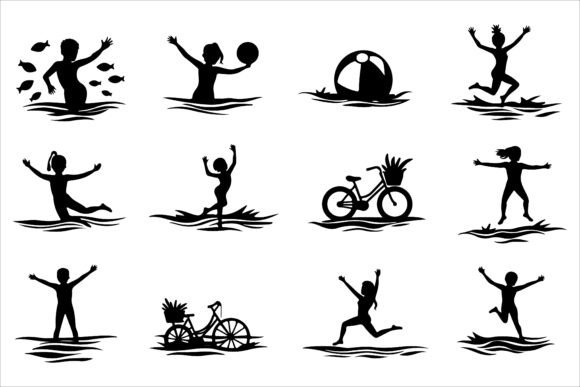
For merchandise, say custom T-shirts for a surf shop. Instead of using one silhouette in the center, try a row of silhouettes that represent different activities—swimming, surfing, relaxing. Use contrasting colors for each shirt size (e.g., white on navy, black on bright yellow). Keep the design simple to retain the shirt’s wearable appeal. Many successful apparel brands rely on silhouette-based graphics because they are easily screen-printed and remain legible from a distance.
If you are a blogger creating an infographic about beach safety, silhouettes can illustrate actions like “stay in designated swimming areas” or “apply sunscreen.” Use a combination of people silhouettes with clear, recognizable poses (e.g., a person applying lotion, a swimmer with a buoy). Pair each silhouette with a short caption. The clean lines of silhouettes avoid distracting from the educational message.
What to Check After Downloading
Once you have your Summer Vacation Silhouette Vector Pack, do a quick audit:
- Open each file format to ensure they are not corrupted. EPS files sometimes require specific versions of software; if you can’t open one, try converting it using an online tool or request support from the seller.
- Check the resolution of PNG and JPG files for your intended use. For print, 300 DPI is standard; for web, 72 DPI is fine. If the pack only contains low-res versions for preview, you may need to create your own raster exports from the EPS at the correct resolution.
- Organize your files into a clear folder structure, perhaps by category (e.g., “People – Swimming,” “Nature – Palm Trees,” “Objects – Surfboards”). This will save you hours when you need to locate a specific silhouette later.
Making the Most of Your Investment
A silhouette vector pack is not just a one-time download; it’s a versatile resource that can power multiple projects for years. The key is to treat it as a toolkit rather than a set of finished graphics. Experiment with different combinations, try scaling silhouettes to create patterns, or use them as clipping masks for photos. For example, fill a silhouette of a hammock with a tropical photo to create a unique collage effect. The more you explore, the more value you extract from the pack.
Finally, remember that the best silhouette designs are those that communicate an idea instantly. A well-placed palm tree silhouette against a sunset communicates “beach paradise” without needing text. Avoid the temptation to add too many elements—sometimes less is more. Stick to a cohesive color palette (e.g., navy, coral, and gold) and use negative space to let the silhouettes breathe. Your audience will appreciate the clarity and emotional pull of a well-composed summer scene.
Whether you are a seasoned designer or a beginner, a quality Summer Vacation Silhouette Vector Pack can streamline your workflow and elevate your projects. By avoiding common missteps—such as ignoring file formats, neglecting customization, or failing to plan for diverse uses—you can create professional, eye-catching visuals that resonate with your audience. Start by reviewing what you need, test a few elements, and build from there. The summer season is full of possibilities, and the right silhouettes make it easy to capture that joyful, carefree feeling.