Why Simple, Clean Icon Design Wins Across Digital and Print Media
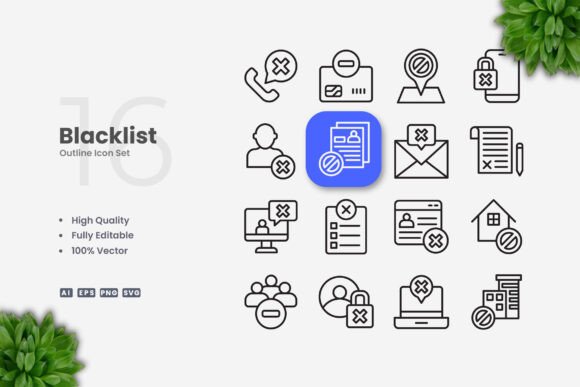
In an era of constant visual noise, the appeal of simple and clean icon design has never been stronger. Whether you are building a mobile app interface, designing a social media campaign, or laying out a print brochure, icons are the silent workhorses of visual communication. The best icon sets do not shout for attention; they guide the eye, clarify meaning, and maintain consistency across every medium. This is exactly where the Blacklist Icons collection makes its mark. It delivers a library of vector icons that prioritize clarity, adaptability, and professional polish without unnecessary ornamentation.
Understanding the Value of Minimalist Iconography
Icons are more than decorative elements; they are functional tools that reduce cognitive load. A well-designed icon communicates an action, object, or concept instantly, often bypassing the need for text. When you work with a set that embraces simplicity, you ensure that your audience does not have to guess what a symbol means. Clean lines, consistent stroke weights, and balanced proportions create a visual language that feels cohesive and trustworthy. Blacklist Icons embodies this principle by offering a uniform style that works seamlessly whether you are scaling it down for a mobile button or enlarging it for a poster header.
Moreover, minimal icons age gracefully. Trends in flat design, material design, and modern UI all favor restraint. By choosing a set that strips away clutter, you future-proof your projects. The icons do not rely on gradients, shadows, or complex textures that might look dated in a few years. Instead, they rely on geometry and negative space, which remain timeless assets in any designer’s toolkit.
Versatility Across Every Platform and Project
One of the most compelling reasons to invest in a vector icon set like Blacklist Icons is its cross-platform adaptability. The collection is crafted for deployment in a remarkably wide range of contexts:
- Websites and mobile apps: Icons serve as navigation aids, call-to-action reinforcements, and visual cues for features. Their simple form ensures fast loading and crisp rendering on retina displays.
- Social media and infographics: In flat or minimal designs, icons break up text-heavy content and make data more digestible. A clean icon set helps maintain brand consistency across Instagram, LinkedIn, or Pinterest.
- Print materials: Flyers, banners, posters, and books all benefit from icons that reproduce sharply at any size. Since vector files are resolution-independent, they print without pixelation.
- Presentation decks and documents: Clean icons add professionalism to slides and reports without distracting from the core message.
Because the set includes multiple file formats, you can transition from digital prototyping to final production without reformatting. The inclusion of SVG and PNG transparency files means web developers can drop icons directly into code, while print designers have the Ai and EPS version 10 files ready for layout software.
Key Features That Simplify Your Workflow
When evaluating icon sets, it is easy to focus solely on aesthetics. However, the practical features of the file package often determine how efficiently you can work. Blacklist Icons comes with several attributes that directly impact productivity and creative flexibility.
100% Vector and Fully Customizable
Vector graphics are the gold standard for icon design. Unlike raster images, vectors are based on mathematical paths, not pixels. This means you can scale an icon to the size of a billboard without any loss of quality. Every icon in the collection is 100 vector, ensuring that the edges remain sharp and the fills stay solid at any dimension. This makes the set suitable for both tiny UI elements and large-format prints.
Customization is where vectors truly shine. Using software like Adobe Illustrator or CorelDRAW, you can:
- Resize icons proportionally or stretch them to fit specific layouts.
- Change colors to match your brand palette, whether that means applying a single solid hue or using two tones for emphasis.
- Edit stroke weight to achieve a bolder or lighter appearance, depending on the surrounding typography and layout density.
- Combine, rotate, or mirror icons to create new symbols that maintain stylistic consistency.
This level of control is essential when you need to adapt a universal icon set to a unique visual identity. You are not stuck with the creator’s default choices; you have the freedom to refine each symbol until it fits your exact requirements.
Editable Stroke and Easy Drag-and-Drop
Stroke-based icons have become increasingly popular in modern UI design because they feel light, modern, and accessible. The editable stroke feature in Blacklist Icons means you can adjust the thickness of every line globally or individually. For instance, if you are designing for a dark mode interface, you might want slightly thicker strokes to maintain visibility. Conversely, a light, airy brand might call for thinner lines that feel delicate.
The inclusion of an easy drag and drop workflow simplifies the production process. Once you open the source files, you can select any icon and drag it directly into your project canvas. No need to export, convert, or re-link files. This is especially valuable when working under tight deadlines or iterating through multiple design versions.
Comprehensive File Package
A robust icon set should meet you where you work. The Blacklist Icons package includes:
- Source File Ai: The native Adobe Illustrator file, which preserves all layers, groups, and color swatches. This is the best starting point for significant customization.
- EPS Version 10: A widely compatible vector format that opens in CorelDRAW, Affinity Designer, and many other applications. Version 10 ensures broad backward compatibility.
- SVG File: Essential for web developers. SVG icons can be embedded directly into HTML, styled with CSS, and animated with JavaScript. Their small file size also benefits page load speed.
- PNG Transparency: For quick use in presentations, social media graphics, or any scenario where you need a ready-to-use image with a transparent background.
- Readme.txt: A simple guide that outlines file contents and basic usage instructions, so you never feel lost.
It is worth noting that the preview mockups shown on the product page are not included. What you receive are the raw icon files themselves, which gives you complete creative control over how they are presented.
Practical Benefits for Designers and Non-Designers Alike
While professional designers will immediately appreciate the vector flexibility and file format variety, Blacklist Icons is also designed to be accessible to non-designers. Small business owners, marketers, and content creators often need icons but lack deep experience with graphic software. The simplicity of the icons themselves reduces the learning curve. Because each symbol is clearly recognizable and uncluttered, you can use them effectively without needing to dissect complex vector paths.
For example, if you are putting together an infographic about customer service workflows, you can drop in a phone icon, an email icon, and a chat bubble icon that immediately read correctly. If the colors in your brand guidelines change next quarter, you can update the entire icon library in minutes rather than recreating assets from scratch. This kind of efficiency is invaluable for lean teams that need to produce polished materials quickly.
Considerations Before Choosing an Icon Set
Before committing to any icon collection, there are a few factors worth evaluating. The style should align with your brand’s visual language. Blacklist Icons leans toward a modern, minimal, and slightly geometric aesthetic, which pairs well with sans-serif typography and generous whitespace. If your brand uses ornate or vintage elements, this set may feel too contemporary.
Another consideration is the breadth of the icon library. While this collection covers a wide array of common categories—technology, business, communication, media, and more—you may occasionally need a niche symbol that is not included. In those cases, the customizability of the vector files allows you to modify an existing icon or combine elements to create a new one.
Finally, consider the file format support within your team’s software stack. With Ai, EPS, SVG, and PNG included, you are covered for almost any workflow. However, if you rely on Figma or Sketch for UI design, you will likely use the SVG files directly. The drag-and-drop ease means you can import SVGs without conversion issues.
Integrating Blacklist Icons into Real-World Projects
Imagine you are redesigning a mobile banking app. The interface needs to feel trustworthy and efficient. Using Blacklist Icons, you can pull a clean house icon for the home screen, a gear icon for settings, and an arrow icon for transactions. Because every icon shares a consistent stroke weight and corner radius, the app’s navigation bar will look professionally unified. You can then export the icons as SVGs and integrate them into your React Native or Flutter project with minimal overhead.
For a print-based example, consider a conference poster. You need a small airplane icon for the travel section, a microphone for the speakers, and a calendar for the schedule. With the EPS files, you can place each icon directly into Adobe InDesign or CorelDRAW, scale them to match the poster dimensions, and tweak the stroke weight so they remain legible from a distance. The transparent PNG files serve well as quick placeholders during the layout phase.
Social media managers frequently reuse icons across multiple platforms. A single Blacklist Icons set can supply the visual elements for a LinkedIn carousel, an Instagram story, and a Facebook event cover. By saving customized versions with your brand colors, you build a reusable asset library that speeds up content creation week after week.
The Lasting Value of a High-Quality Vector Icon Collection
Investing in a well-crafted icon set like Blacklist Icons is a decision that pays dividends across countless projects. The combination of high quality design, complete vector scalability, and full customization means you are not just buying graphics; you are acquiring a flexible design resource. Editable strokes allow you to adapt the visual weight to different mediums, while the multiple file formats ensure compatibility with whatever tools you use today—or tomorrow.
Because the icons are simple and clean, they integrate naturally into a wide range of aesthetic systems. They do not compete with your content; they support it. Whether you are developing a corporate website, a mobile game interface, or a non-profit awareness campaign, these icons function as reliable building blocks. Their minimal nature also makes them excellent candidates for animation, as the clear shapes and consistent paths translate well into motion graphics.
In a landscape where visual consistency can make or break a brand’s credibility, having a unified icon language is more important than ever. Blacklist Icons delivers that consistency out of the box, while still giving you the freedom to make each symbol your own.